
Course Categories
Organize courses into categories that give administrators a clearer structure for managing learning content.
.svg)
Organize courses by category, manage course states, switch between grid and table views, and keep catalog activity connected to registrations and learning records.
.svg)
Give administrators a structured way to manage course information while learners access training through a connected learning environment.


Organize courses in one catalog, maintain clear course states, and connect course administration with learner registrations, progress, and learning records.

Organize courses into categories that give administrators a clearer structure for managing learning content.
Review the course catalog in grid or table format based on the level of detail administrators need.
Maintain Active, Draft, and Inactive course states so administrators can distinguish courses throughout the management lifecycle.
Keep course administration connected to registrations, learner activity, completion information, and ongoing learning records.
Create, organize, review, and manage courses using TraineryLMS capabilities built around structured learning administration.
.svg)
Group courses into categories that provide a clearer structure for administrators managing the training catalog.
.svg)
Move between visual grid and detailed table views when reviewing and administering courses.
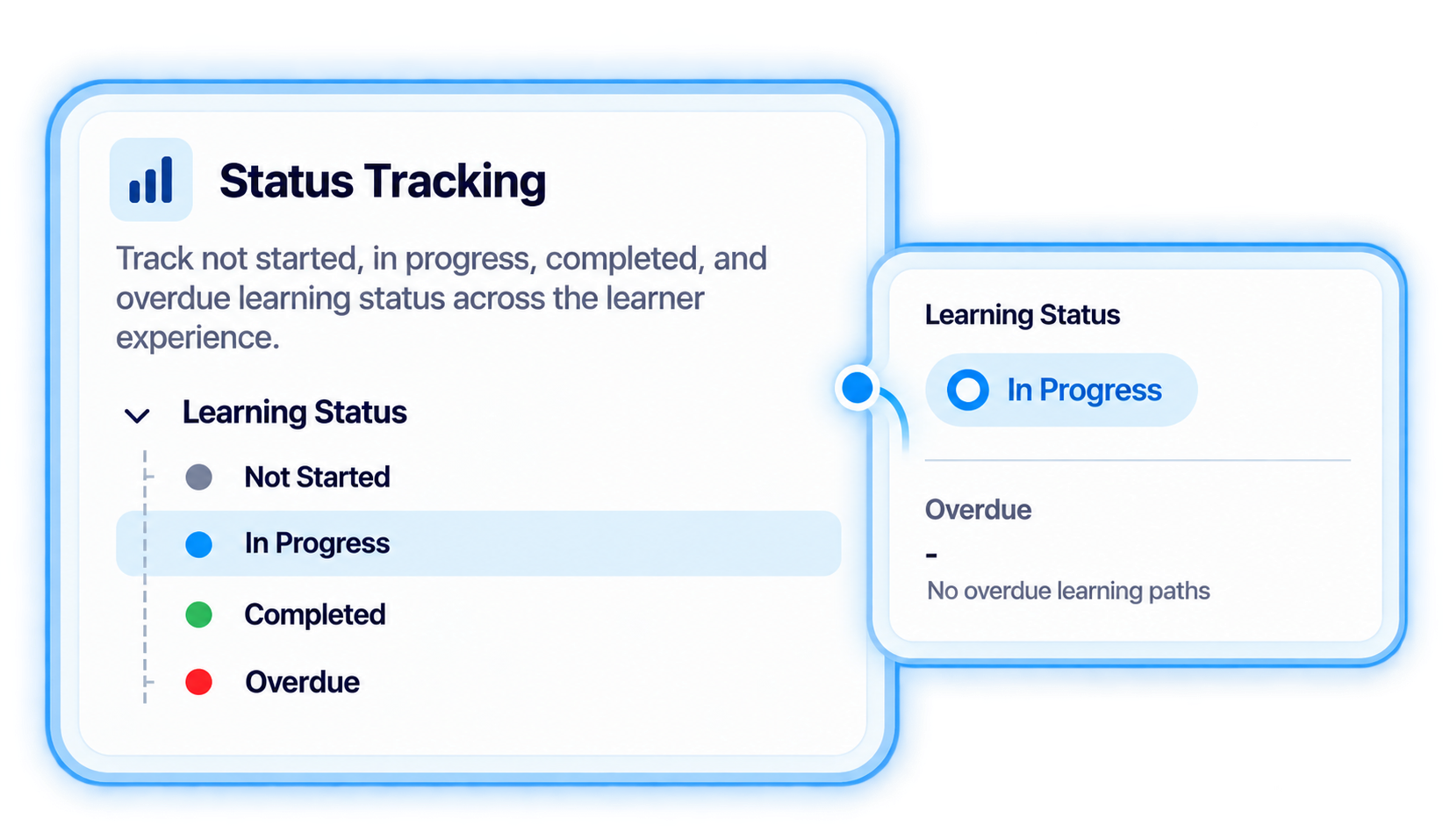
Use defined course states to maintain clearer visibility into where courses sit within the catalog.
Create and administer courses while keeping related registrations, activity, completion information, and learning history connected.
Build and organize courses in the catalog, connect learners to training, and keep completed activity visible in the learning record.
.svg)
Create the course information that will form part of the TraineryLMS course catalog.
Use course categories and catalog views to keep learning content easier for administrators to review and manage.
.svg)
Use Active, Draft, and Inactive states to distinguish courses as they move through ongoing catalog administration.
.svg)
Connect courses with learner registrations or assignments so training becomes part of the learner experience.
.svg)
Keep completed course activity visible through learning records for ongoing training-history management.

Organize courses, manage catalog states, connect learners to training, and keep learning activity tied to records with TraineryLMS.
.svg)


.svg)
