
.svg)


.svg)
Ready to transform your training infrastructure?
Whether you need an LMS for digital scale or a TMS for operational excellence, we can help you find the perfect fit for your organization.
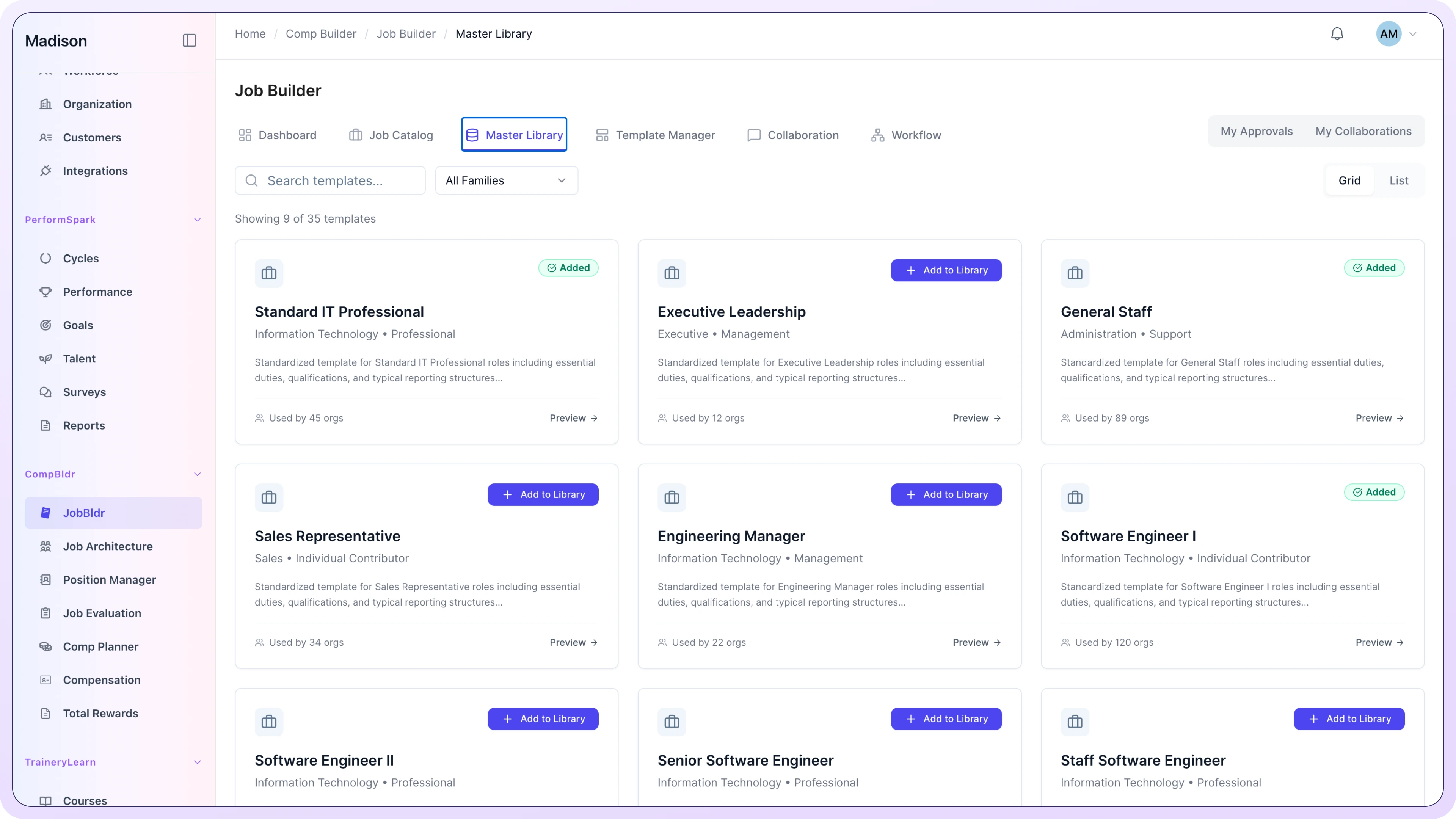
Course Templates give your L&D team a library of pre-built, reusable structures for the most common training scenarios. Drop in your content, branding, and assessments and publish in a fraction of the time it takes to start from a blank page.

.svg)
Browse the template library by scenario: onboarding, compliance, safety, product enablement, or skills development. Select the structure that matches what you are building.
.svg)
Replace placeholder content with your own materials, add your organization's branding, configure assessments and quiz settings, and preview the course as a learner would experience it.
.svg)
Publish the course to your LMS, add it to a Learning Path, and assign it to the right audience. The template structure guarantees it meets your internal quality and compliance standards from the first version.
.svg)


.svg)

.svg)
.svg)
Select the compliance refresher template, drop in the regulation-specific content, configure the attestation requirement, and publish. The structure, assessment logic, and formatting are already in place.
.svg)
A single onboarding template is shared across all L&D admins. Every onboarding course produced by any team follows the same structure, branding, and quality standard regardless of who built it.
.svg)
Upload the policy document to TrAI. The Document Extraction feature generates a course template with sections, learning objectives, and quiz scaffolding based on the document content.

Provide SMEs with access to a pre-approved template. They fill in the content section by section, following the structure and prompts built into the template. L&D reviews and approves rather than building from scratch.
Instructional designers in most organizations start from a blank page every time, rebuilding the same onboarding structure for the fifth time or recreating a compliance module that looks nothing like the last one. Templates eliminate that redundancy and ensure every course meets the same standard regardless of who builds it.
.svg)


You can do both. Trainery includes a library of pre-built templates for common training scenarios, and your team can also build, save, and share custom templates within your organization. A template built for one division can be made available to all L&D admins across the platform.
Yes. Templates are built to accommodate SCORM 1.2, SCORM 2004, and xAPI content formats. You can embed content built in Articulate, Adobe Captivate, or other authoring tools into the template structure alongside native Trainery content elements.
Yes. The TrAI Document Extraction feature takes an uploaded PDF, policy document, or training manual and generates a structured course outline including sections, learning objectives, and assessment scaffolding. The output is a ready-to-populate template rather than a finished course, giving your team the structure they need while preserving editorial control.
If your compliance standards are built into the template, yes. Organizations can configure templates to include mandatory elements: specific acknowledgment steps, required assessment passing scores, or attestation checkboxes that cannot be removed when the template is used. This ensures every course produced from that template meets the standard by design.
Yes. Template branding is fully configurable including colors, fonts, logo placement, and intro or outro screens. Your L&D team can set a default branding configuration so every course produced from any template automatically matches your organization's visual identity without manual adjustment each time.
Yes. Templates can be used to build courses for any audience in Trainery including external learner portals for customers, partners, resellers, and association members. You can maintain separate template libraries for internal and external programs if your quality standards or branding requirements differ by audience.
The time saving depends on the complexity of the course, but most L&D teams report cutting content production time by 50 to 70 percent when using templates versus starting from blank. The structural work is already done. Your team focuses on content, not formatting, assessment logic, or compliance element placement.
Whether you need an LMS for digital scale or a TMS for operational excellence, we can help you find the perfect fit for your organization.
.svg)
.svg)

.svg)
.svg)

