
From Spreadsheets to Systems: How to Build a Training Operations Function That Scales

Updated On:
June 20, 2026
Mahesh Kumar
Founder, TraineryHCM.com

Table of Contents

Every training function starts the same way. A handful of people, a shared spreadsheet, a calendar invite here and there, and it works, because at a small scale, a spreadsheet is genuinely a reasonable tool. Someone updates a tab when a course is completed. Someone else cross-references a different tab before scheduling the next instructor-led session. It's manual, but it's manageable.

Then the organization grows, and the spreadsheet doesn't grow with it gracefully. A second location opens. A new compliance requirement gets layered on top of existing training. The headcount doubles, then doubles again. What used to take an afternoon to reconcile now takes most of a week, and the people doing that reconciliation are the same people who were supposed to be designing better training content, not chasing down who attended a session eight months ago.

This is the point where most training functions either stall, absorbing more and more administrative headcount just to keep the spreadsheets from falling over, or make the jump to a dedicated system. The jump itself is rarely the hard part. The hard part is that most organizations treat it purely as a software purchase, when the more durable version of this transition also means defining who owns what, documenting how training actually moves through the organization, and choosing a technology stack built to scale rather than one that simply digitizes the same spreadsheet logic.

There's also a cost to waiting too long that rarely shows up on a budget line until it's already a problem. Every quarter spent reconciling spreadsheets by hand is a quarter the training function isn't spending on the work that actually improves outcomes, designing better content, identifying real skill gaps, connecting training to performance, and retention. The administrative burden doesn't announce itself as a crisis. It accumulates quietly, headcount request by headcount request, until someone finally asks why the training team has grown faster than the training it's actually delivering.

This piece walks through what that transition actually involves, from the operational and organizational design side as much as the software side, since a new platform layered on top of an undefined process tends to just become a more expensive spreadsheet.

How Do I Transition From Spreadsheets to a Scalable Training Operations Platform?

The transition from spreadsheets to a scalable training operations platform works best as a structured project with five phases: audit your current state to understand what is actually being tracked and where the breakdowns happen, define the target process and ownership before evaluating software, migrate and clean your existing data rather than importing it as-is, pilot with a smaller group before a full rollout, and only then scale company-wide with a clear plan for ongoing administration. Organizations that skip the process-definition step and jump straight to software selection tend to end up with a system that replicates their spreadsheet's limitations in a more expensive, harder-to-change format, because the underlying decisions about ownership, workflow, and data structure were never actually made.

Why Spreadsheets Stop Working, and Exactly Where They Break

Spreadsheets fail predictably, and recognizing the specific failure points helps clarify what a replacement system actually needs to solve.

The first break point is reconciliation across multiple sources. As training programs grow, organizations rarely keep everything in one spreadsheet. They end up with a scheduling sheet, a separate completions sheet, an instructor availability calendar, and a certification expiry tracker, each maintained slightly differently, each occasionally out of sync with the others. Producing a single accurate answer to a simple question, who on this team is current on their required training, becomes a cross-referencing exercise rather than a lookup.

The second break point is the scale of administrative time relative to headcount. A spreadsheet-based process scales roughly linearly with headcount; more people means proportionally more manual entries, more reminders to send, and more scheduling conflicts to resolve by hand. A system built for this is designed to scale sublinearly, where doubling headcount does not require doubling the administrative effort behind it.

The third, and most consequential, break point is the disconnect between the training record and the employee record. A spreadsheet tracks that a course was completed. It almost never connects cleanly to who that employee actually is in the organization's broader system, their role, their manager, their performance history, and their development plan. This gap is the single most common reason training data sits unused even after an organization has digitized it: the records exist, but they're disconnected from the context that would make them actually useful for decisions beyond compliance checking.

The Record Gap: Why Scheduling Software Alone Isn't the Whole Answer

Most training management software on the market today solves scheduling and logistics extremely well: finding the right instructor, the right room, the right time slot, avoiding double-booking, and tracking attendance at the event level. What it typically does not solve is the connection between that event and the employee's actual record.

This distinction matters more than it sounds. A platform that knows an employee attended a leadership training session, but doesn't know that employee's current role, their recent performance trajectory, or whether this training maps to a documented development goal, can tell you attendance. It cannot tell you whether the training closed a real skill gap, whether it should connect to that employee's next review, or whether the investment is actually producing the outcome the organization needed. That's the record gap: scheduling and completion tracking exist in one system, and the employee context that would make that data meaningful exists somewhere else entirely, usually in HR systems that the training platform was never connected to.

Closing this gap is less about adding a feature and more about an architectural decision made early: does the training platform treat the employee as a real, connected record, with role, history, and development context attached, or does it treat the employee as a row in an attendance sheet? Most platforms built primarily for scheduling and logistics were architected around the second model, because that's the problem they were originally built to solve.

Consider two organizations running the same leadership development program. The first uses a scheduling-strong platform: it confirms forty people attended, tracks the dates, and produces a clean attendance report. The second uses a platform with a connected employee record: it shows the same forty attendees, but also that twelve of them had this program flagged as a specific development goal tied to a recent review, that eight have since moved into roles with broader scope, and that the remaining twenty show no measurable change in their development trajectory in the months since. The first organization knows the training happened. The second knows whether it worked, and for whom.

A Question Worth Asking

Can your training reports show whether a session moved a documented skill gap — or only that someone attended? See how Trainery closes that record gap.

Book a Demo

What a Scalable Training Operations Technology Stack Actually Needs

A technology stack built to scale typically needs three layers working together rather than as separate, disconnected tools.

The learning management layer handles content delivery: self-paced courses, assessments, a content library, and the infrastructure for assigning and tracking completion of digital learning. The training management layer handles the logistics of live and blended training: scheduling instructor-led sessions, managing rooms and resources, coordinating instructor availability, and tracking attendance at events that don't happen inside a course player. The connected employee record layer is what ties both of the above back to an actual person, their role, their manager, their performance and development history, rather than leaving training data as an isolated log of completions.

Most vendors in this space are strong in one of the first two layers and largely absent from the third. A scheduling-focused platform handles the logistics layer well but typically has no visibility into the broader employee record. A content-focused LMS handles delivery well but often treats instructor-led training, the more operationally complex half of most training programs, as an afterthought. The organizations that get the most value from their training operations stack are the ones whose platform handles all three layers as one connected system, rather than stitching together two or three vendors and hoping the data stays in sync.
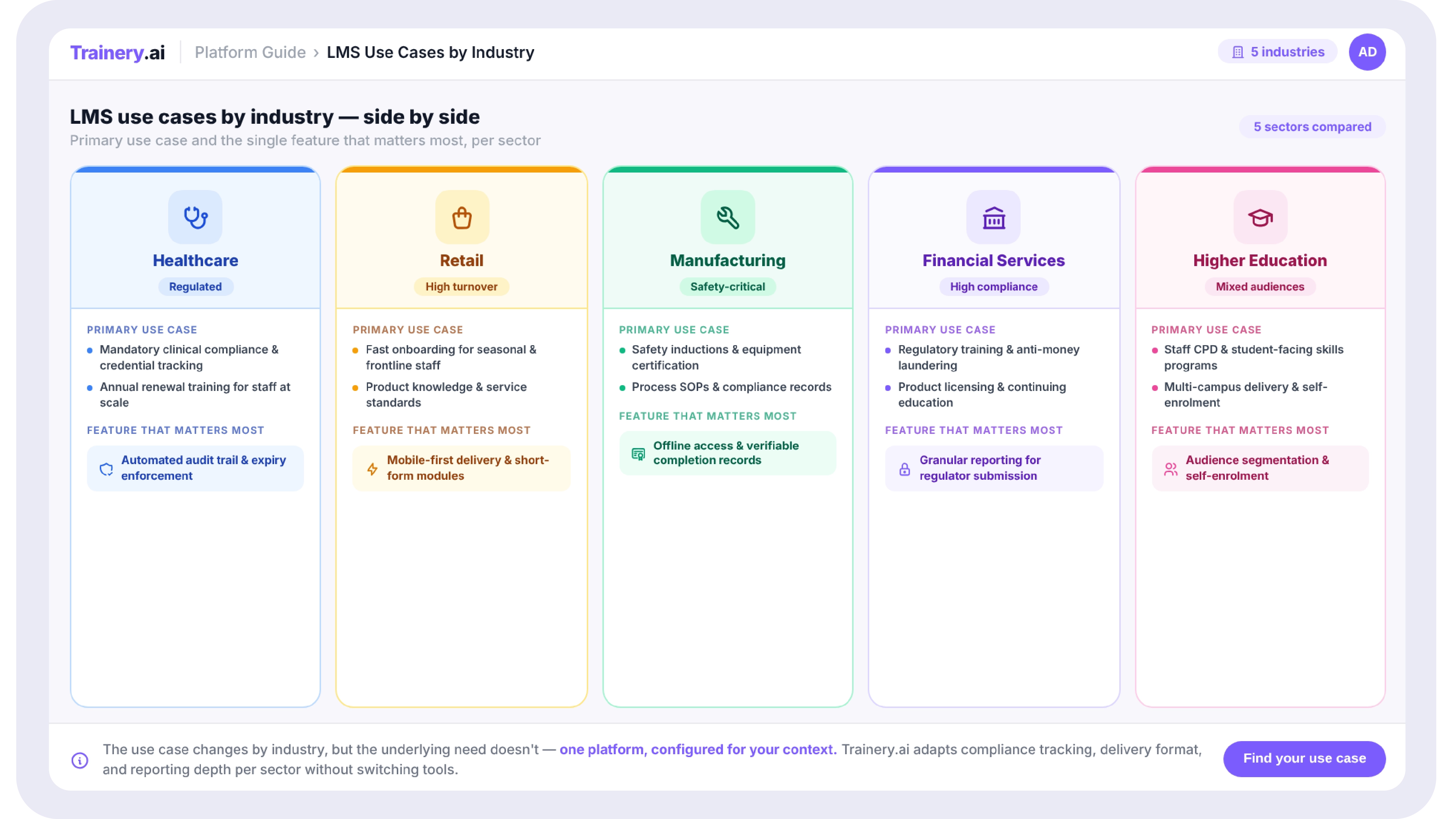
Diagram showing three connected layers of a training operations stack, a learning management layer for content delivery, a training management layer for scheduling and logistics, and a connected employee record layer linking both to role, performance, and development data

Defining Roles and Responsibilities for a Training Operations Function

A new system without defined ownership tends to drift back toward the same ad hoc patterns that made the spreadsheet unmanageable in the first place. Before or alongside a platform decision, it's worth defining a small number of clear roles.

A training operations owner is responsible for the overall process, the systems, and ongoing administration, the person who can answer “how does a training request actually move through our organization” without checking three different people first. Content owners are responsible for keeping specific course material current and accurate, distinct from the operations role, since content quality and process administration require different skills and different attention. Instructor or facilitator coordinators manage the logistics of live sessions, specifically availability, scheduling conflicts, and communication with trainers, which is often the most time-consuming manual task in a growing training function. And a reporting or analytics owner is responsible for turning the system's data into something leadership actually uses, such as completion rates by department, skill gap analysis, training effectiveness against performance outcomes, rather than letting reports exist but go unread.

Smaller organizations will often combine several of these into one or two people, but naming the responsibilities explicitly, even when one person holds three of them, prevents the quiet drift back toward informal, undocumented ownership that made the original spreadsheet process fragile.

What to Look for in a Training Operations Platform

A handful of criteria separate platforms that genuinely replace spreadsheet-era limitations from platforms that simply move the same manual process onto a screen.

Look for native support for both digital, self-paced content and live, instructor-led scheduling in one system, rather than two separate tools that require manual reconciliation between them. Look specifically for a connected employee record, not just an attendance log, since this is the gap described above that determines whether your training data can actually inform development and performance decisions. Look for built-in analytics and reporting that go beyond completion percentages, skill gap visibility, training effectiveness against business outcomes, and department-level dashboards that don't require manual export and reassembly. Look for integration capability with the HR systems you already use, since duplicate data entry between a training platform and your core HR system recreates exactly the reconciliation burden the new system was meant to remove. And evaluate the vendor's pricing model honestly against your actual growth trajectory, since some platforms price in ways that become disproportionately expensive as headcount scales, which defeats the purpose of choosing a system specifically to support growth.

A Practical Roadmap for Migrating Off Spreadsheets

Audit your current state. Before evaluating any vendor, document what you're actually tracking today, where it lives, who maintains it, and where the specific breakdowns happen. This audit becomes your requirements list, grounded in real problems rather than a generic feature checklist.

Define the target process and ownership before choosing software. Decide how a training request should move through your organization, who approves what, and who owns ongoing administration, independent of which platform you eventually select. A platform configured around an undefined process will simply digitize the ambiguity.

Migrate and clean data deliberately, rather than importing everything as-is. Spreadsheet data accumulated over the years usually contains inconsistencies, duplicate records, and outdated role information, which are worth cleaning during migration rather than carrying forward into the new system.

Pilot with a smaller group before a full rollout. A pilot surfaces configuration issues and process gaps while the stakes are still low, and gives you real usage data to refine training and communication before a company-wide launch.

Scale with a clear ongoing administration plan. The platform launch is the beginning of the operational model, not the end of the project. Build in a regular cadence for reviewing reports, auditing data quality, and revisiting the roles defined earlier as the organization continues to grow.
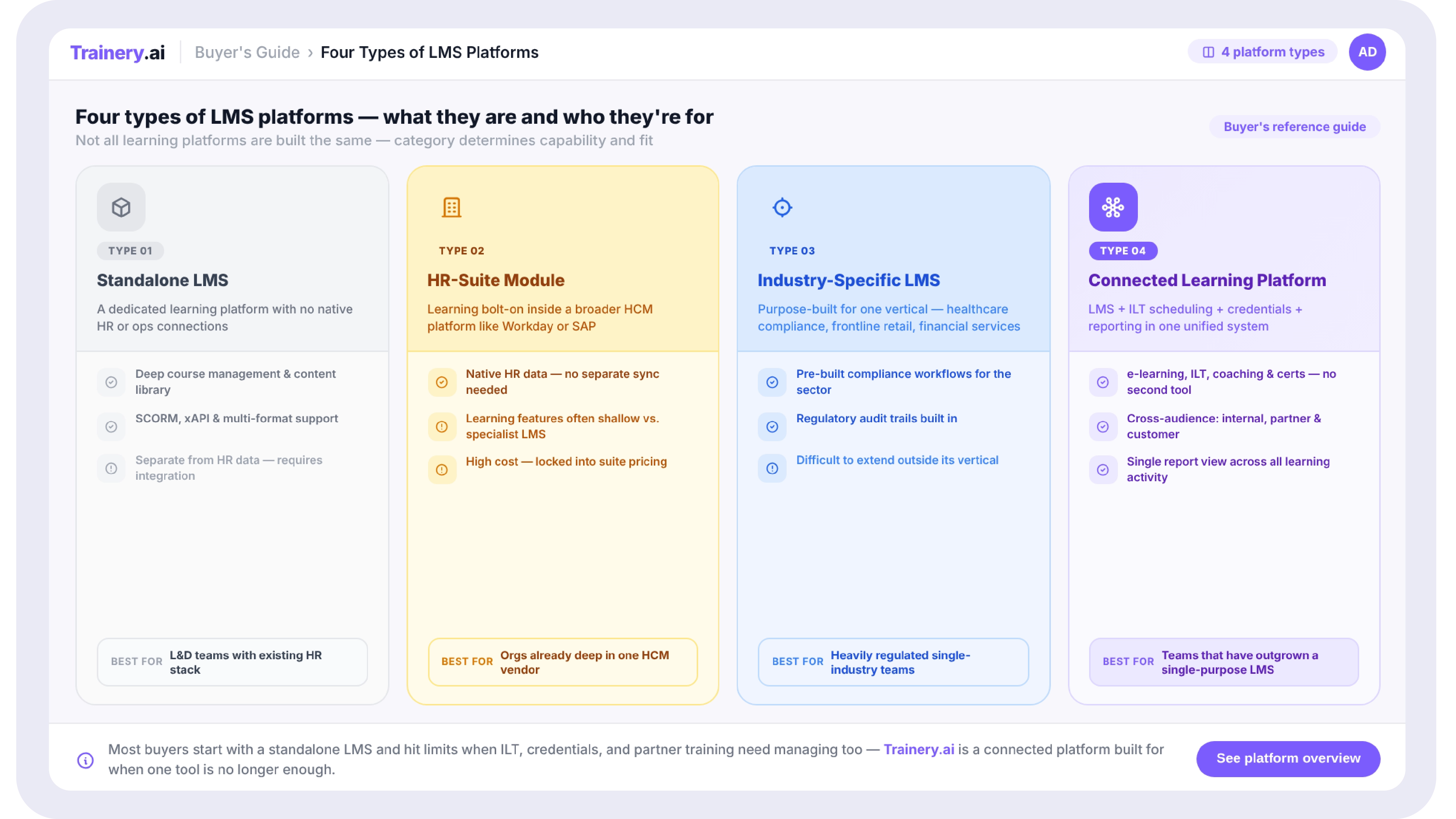
 Roadmap graphic showing five sequential phases for migrating from spreadsheet-based training tracking to a scalable platform, audit current state, define process and ownership, migrate and clean data, pilot, and scale with ongoing administration

Common Challenges When Making the Transition

A few patterns show up consistently across organizations making this move. Underestimating data cleanup is the most common: years of spreadsheet history rarely map cleanly onto a structured system's data model, and treating migration as a quick export-import step usually means importing years of inconsistency along with the data. Skipping the process-definition step is a close second, since a platform implemented without first deciding ownership and workflow tends to inherit the same informal patterns that made the spreadsheet fragile in the first place. And underestimating change management is the third: a new system that genuinely changes how people request, schedule, and track training requires real communication and training of its own, not just a login email, or adoption stalls, and people quietly drift back to the spreadsheet habits they know.

How to Measure Whether the New System Is Actually Working

A scalable training operations function should be measured on more than completion rates. Administrative time per employee, the hours spent on scheduling, reconciliation, and reporting relative to headcount, is one of the clearest signals that a system is actually reducing burden rather than just relocating it. Data accuracy and audit readiness, how quickly an accurate report can be produced on demand, reflect whether the underlying record-keeping is genuinely centralized. Training-to-outcome connection, whether completed training maps visibly to skill development, performance improvement, or development plan progress, reflects whether the record gap described earlier has actually been closed. And time-to-schedule for instructor-led sessions, how long it takes to go from a training need to a scheduled session, is a direct measure of whether the logistics layer is functioning as intended.

The shift from spreadsheets to a real training operations function is not primarily a technology upgrade. It's an organizational decision to treat training administration as infrastructure worth investing in deliberately, with defined ownership, a documented process, and a platform chosen because it closes the gap between scheduling, content, and the actual employee record, not just because it digitizes the spreadsheet you already have.

Organizations that make this transition well treat the software decision as the third step in the process, after auditing the current state and defining ownership, not the first. The platforms that serve them well over time are the ones built around the employee record from the start, not the ones that simply schedule events and leave the rest of the picture for someone else to assemble by hand. The spreadsheet got you to where you are. The systems and structure described here are what get you past the point where they can carry you any further.

Closing the Record Gap

Attendance Tells You Who Showed Up. Not What Changed.

See how a connected platform ties training data to the employee record — so you know whether training closed a skill gap or supported a development goal.

Book a Demo →

Key Takeaways

  • Most training functions don't fail because of bad content. They fail because the operational layer underneath, scheduling, tracking, reporting, and records, was built on spreadsheets that worked fine at 50 employees and quietly collapsed somewhere past 300.
  • The transition from spreadsheets to a scalable system is not just a software purchase. It requires defined roles and responsibilities, a documented process for how training requests move through the organization, and a technology stack that can absorb growth without proportionally growing headcount.
  • Most training management software solves scheduling and tracking in isolation. The piece almost every vendor in this category misses is the connection to the actual employee record, who this person is, what role they hold, and how their training maps to their development and performance, not just whether they clicked complete.
  • A scalable training operations technology stack typically needs three layers working together: a learning management layer for content delivery, a training management layer for scheduling and logistics, and a connected employee record layer that ties both back to the person, not just the event.
  • Migrating from spreadsheets to a system is a project with real phases, audit current state, define the target process, migrate data, pilot, and roll out, not a weekend import job, and treating it as a quick lift-and-shift is the most common reason implementations stall.

Every training function starts the same way. A handful of people, a shared spreadsheet, a calendar invite here and there, and it works, because at a small scale, a spreadsheet is genuinely a reasonable tool. Someone updates a tab when a course is completed. Someone else cross-references a different tab before scheduling the next instructor-led session. It's manual, but it's manageable.

Then the organization grows, and the spreadsheet doesn't grow with it gracefully. A second location opens. A new compliance requirement gets layered on top of existing training. The headcount doubles, then doubles again. What used to take an afternoon to reconcile now takes most of a week, and the people doing that reconciliation are the same people who were supposed to be designing better training content, not chasing down who attended a session eight months ago.

This is the point where most training functions either stall, absorbing more and more administrative headcount just to keep the spreadsheets from falling over, or make the jump to a dedicated system. The jump itself is rarely the hard part. The hard part is that most organizations treat it purely as a software purchase, when the more durable version of this transition also means defining who owns what, documenting how training actually moves through the organization, and choosing a technology stack built to scale rather than one that simply digitizes the same spreadsheet logic.

There's also a cost to waiting too long that rarely shows up on a budget line until it's already a problem. Every quarter spent reconciling spreadsheets by hand is a quarter the training function isn't spending on the work that actually improves outcomes, designing better content, identifying real skill gaps, connecting training to performance, and retention. The administrative burden doesn't announce itself as a crisis. It accumulates quietly, headcount request by headcount request, until someone finally asks why the training team has grown faster than the training it's actually delivering.

This piece walks through what that transition actually involves, from the operational and organizational design side as much as the software side, since a new platform layered on top of an undefined process tends to just become a more expensive spreadsheet.

How Do I Transition From Spreadsheets to a Scalable Training Operations Platform?

The transition from spreadsheets to a scalable training operations platform works best as a structured project with five phases: audit your current state to understand what is actually being tracked and where the breakdowns happen, define the target process and ownership before evaluating software, migrate and clean your existing data rather than importing it as-is, pilot with a smaller group before a full rollout, and only then scale company-wide with a clear plan for ongoing administration. Organizations that skip the process-definition step and jump straight to software selection tend to end up with a system that replicates their spreadsheet's limitations in a more expensive, harder-to-change format, because the underlying decisions about ownership, workflow, and data structure were never actually made.

Why Spreadsheets Stop Working, and Exactly Where They Break

Spreadsheets fail predictably, and recognizing the specific failure points helps clarify what a replacement system actually needs to solve.

The first break point is reconciliation across multiple sources. As training programs grow, organizations rarely keep everything in one spreadsheet. They end up with a scheduling sheet, a separate completions sheet, an instructor availability calendar, and a certification expiry tracker, each maintained slightly differently, each occasionally out of sync with the others. Producing a single accurate answer to a simple question, who on this team is current on their required training, becomes a cross-referencing exercise rather than a lookup.

The second break point is the scale of administrative time relative to headcount. A spreadsheet-based process scales roughly linearly with headcount; more people means proportionally more manual entries, more reminders to send, and more scheduling conflicts to resolve by hand. A system built for this is designed to scale sublinearly, where doubling headcount does not require doubling the administrative effort behind it.

The third, and most consequential, break point is the disconnect between the training record and the employee record. A spreadsheet tracks that a course was completed. It almost never connects cleanly to who that employee actually is in the organization's broader system, their role, their manager, their performance history, and their development plan. This gap is the single most common reason training data sits unused even after an organization has digitized it: the records exist, but they're disconnected from the context that would make them actually useful for decisions beyond compliance checking.

The Record Gap: Why Scheduling Software Alone Isn't the Whole Answer

Most training management software on the market today solves scheduling and logistics extremely well: finding the right instructor, the right room, the right time slot, avoiding double-booking, and tracking attendance at the event level. What it typically does not solve is the connection between that event and the employee's actual record.

This distinction matters more than it sounds. A platform that knows an employee attended a leadership training session, but doesn't know that employee's current role, their recent performance trajectory, or whether this training maps to a documented development goal, can tell you attendance. It cannot tell you whether the training closed a real skill gap, whether it should connect to that employee's next review, or whether the investment is actually producing the outcome the organization needed. That's the record gap: scheduling and completion tracking exist in one system, and the employee context that would make that data meaningful exists somewhere else entirely, usually in HR systems that the training platform was never connected to.

Closing this gap is less about adding a feature and more about an architectural decision made early: does the training platform treat the employee as a real, connected record, with role, history, and development context attached, or does it treat the employee as a row in an attendance sheet? Most platforms built primarily for scheduling and logistics were architected around the second model, because that's the problem they were originally built to solve.

Consider two organizations running the same leadership development program. The first uses a scheduling-strong platform: it confirms forty people attended, tracks the dates, and produces a clean attendance report. The second uses a platform with a connected employee record: it shows the same forty attendees, but also that twelve of them had this program flagged as a specific development goal tied to a recent review, that eight have since moved into roles with broader scope, and that the remaining twenty show no measurable change in their development trajectory in the months since. The first organization knows the training happened. The second knows whether it worked, and for whom.

A Question Worth Asking

Can your training reports show whether a session moved a documented skill gap — or only that someone attended? See how Trainery closes that record gap.

Book a Demo

What a Scalable Training Operations Technology Stack Actually Needs

A technology stack built to scale typically needs three layers working together rather than as separate, disconnected tools.

The learning management layer handles content delivery: self-paced courses, assessments, a content library, and the infrastructure for assigning and tracking completion of digital learning. The training management layer handles the logistics of live and blended training: scheduling instructor-led sessions, managing rooms and resources, coordinating instructor availability, and tracking attendance at events that don't happen inside a course player. The connected employee record layer is what ties both of the above back to an actual person, their role, their manager, their performance and development history, rather than leaving training data as an isolated log of completions.

Most vendors in this space are strong in one of the first two layers and largely absent from the third. A scheduling-focused platform handles the logistics layer well but typically has no visibility into the broader employee record. A content-focused LMS handles delivery well but often treats instructor-led training, the more operationally complex half of most training programs, as an afterthought. The organizations that get the most value from their training operations stack are the ones whose platform handles all three layers as one connected system, rather than stitching together two or three vendors and hoping the data stays in sync.

Diagram showing three connected layers of a training operations stack, a learning management layer for content delivery, a training management layer for scheduling and logistics, and a connected employee record layer linking both to role, performance, and development data

Defining Roles and Responsibilities for a Training Operations Function

A new system without defined ownership tends to drift back toward the same ad hoc patterns that made the spreadsheet unmanageable in the first place. Before or alongside a platform decision, it's worth defining a small number of clear roles.

A training operations owner is responsible for the overall process, the systems, and ongoing administration, the person who can answer “how does a training request actually move through our organization” without checking three different people first. Content owners are responsible for keeping specific course material current and accurate, distinct from the operations role, since content quality and process administration require different skills and different attention. Instructor or facilitator coordinators manage the logistics of live sessions, specifically availability, scheduling conflicts, and communication with trainers, which is often the most time-consuming manual task in a growing training function. And a reporting or analytics owner is responsible for turning the system's data into something leadership actually uses, such as completion rates by department, skill gap analysis, training effectiveness against performance outcomes, rather than letting reports exist but go unread.

Smaller organizations will often combine several of these into one or two people, but naming the responsibilities explicitly, even when one person holds three of them, prevents the quiet drift back toward informal, undocumented ownership that made the original spreadsheet process fragile.

What to Look for in a Training Operations Platform

A handful of criteria separate platforms that genuinely replace spreadsheet-era limitations from platforms that simply move the same manual process onto a screen.

Look for native support for both digital, self-paced content and live, instructor-led scheduling in one system, rather than two separate tools that require manual reconciliation between them. Look specifically for a connected employee record, not just an attendance log, since this is the gap described above that determines whether your training data can actually inform development and performance decisions. Look for built-in analytics and reporting that go beyond completion percentages, skill gap visibility, training effectiveness against business outcomes, and department-level dashboards that don't require manual export and reassembly. Look for integration capability with the HR systems you already use, since duplicate data entry between a training platform and your core HR system recreates exactly the reconciliation burden the new system was meant to remove. And evaluate the vendor's pricing model honestly against your actual growth trajectory, since some platforms price in ways that become disproportionately expensive as headcount scales, which defeats the purpose of choosing a system specifically to support growth.

A Practical Roadmap for Migrating Off Spreadsheets

Audit your current state. Before evaluating any vendor, document what you're actually tracking today, where it lives, who maintains it, and where the specific breakdowns happen. This audit becomes your requirements list, grounded in real problems rather than a generic feature checklist.

Define the target process and ownership before choosing software. Decide how a training request should move through your organization, who approves what, and who owns ongoing administration, independent of which platform you eventually select. A platform configured around an undefined process will simply digitize the ambiguity.

Migrate and clean data deliberately, rather than importing everything as-is. Spreadsheet data accumulated over the years usually contains inconsistencies, duplicate records, and outdated role information, which are worth cleaning during migration rather than carrying forward into the new system.

Pilot with a smaller group before a full rollout. A pilot surfaces configuration issues and process gaps while the stakes are still low, and gives you real usage data to refine training and communication before a company-wide launch.

Scale with a clear ongoing administration plan. The platform launch is the beginning of the operational model, not the end of the project. Build in a regular cadence for reviewing reports, auditing data quality, and revisiting the roles defined earlier as the organization continues to grow.

 Roadmap graphic showing five sequential phases for migrating from spreadsheet-based training tracking to a scalable platform, audit current state, define process and ownership, migrate and clean data, pilot, and scale with ongoing administration

Common Challenges When Making the Transition

A few patterns show up consistently across organizations making this move. Underestimating data cleanup is the most common: years of spreadsheet history rarely map cleanly onto a structured system's data model, and treating migration as a quick export-import step usually means importing years of inconsistency along with the data. Skipping the process-definition step is a close second, since a platform implemented without first deciding ownership and workflow tends to inherit the same informal patterns that made the spreadsheet fragile in the first place. And underestimating change management is the third: a new system that genuinely changes how people request, schedule, and track training requires real communication and training of its own, not just a login email, or adoption stalls, and people quietly drift back to the spreadsheet habits they know.

How to Measure Whether the New System Is Actually Working

A scalable training operations function should be measured on more than completion rates. Administrative time per employee, the hours spent on scheduling, reconciliation, and reporting relative to headcount, is one of the clearest signals that a system is actually reducing burden rather than just relocating it. Data accuracy and audit readiness, how quickly an accurate report can be produced on demand, reflect whether the underlying record-keeping is genuinely centralized. Training-to-outcome connection, whether completed training maps visibly to skill development, performance improvement, or development plan progress, reflects whether the record gap described earlier has actually been closed. And time-to-schedule for instructor-led sessions, how long it takes to go from a training need to a scheduled session, is a direct measure of whether the logistics layer is functioning as intended.

The shift from spreadsheets to a real training operations function is not primarily a technology upgrade. It's an organizational decision to treat training administration as infrastructure worth investing in deliberately, with defined ownership, a documented process, and a platform chosen because it closes the gap between scheduling, content, and the actual employee record, not just because it digitizes the spreadsheet you already have.

Organizations that make this transition well treat the software decision as the third step in the process, after auditing the current state and defining ownership, not the first. The platforms that serve them well over time are the ones built around the employee record from the start, not the ones that simply schedule events and leave the rest of the picture for someone else to assemble by hand. The spreadsheet got you to where you are. The systems and structure described here are what get you past the point where they can carry you any further.

Closing the Record Gap

Attendance Tells You Who Showed Up. Not What Changed.

See how a connected platform ties training data to the employee record — so you know whether training closed a skill gap or supported a development goal.

Book a Demo →

Frequently Asked Questions

Related blogs

Learning Management System Examples: 10 Real-World Use Cases by Industry and Team
This is some text inside of a div block.

Learning Management System Examples: 10 Real-World Use Cases by Industry and Team

View Blog
This is some text inside of a div block.

From Spreadsheets to Systems: How to Build a Training Operations Function That Scales

View Blog
This is some text inside of a div block.

How Healthcare Organizations Can Simplify Compliance Training Management

View Blog