
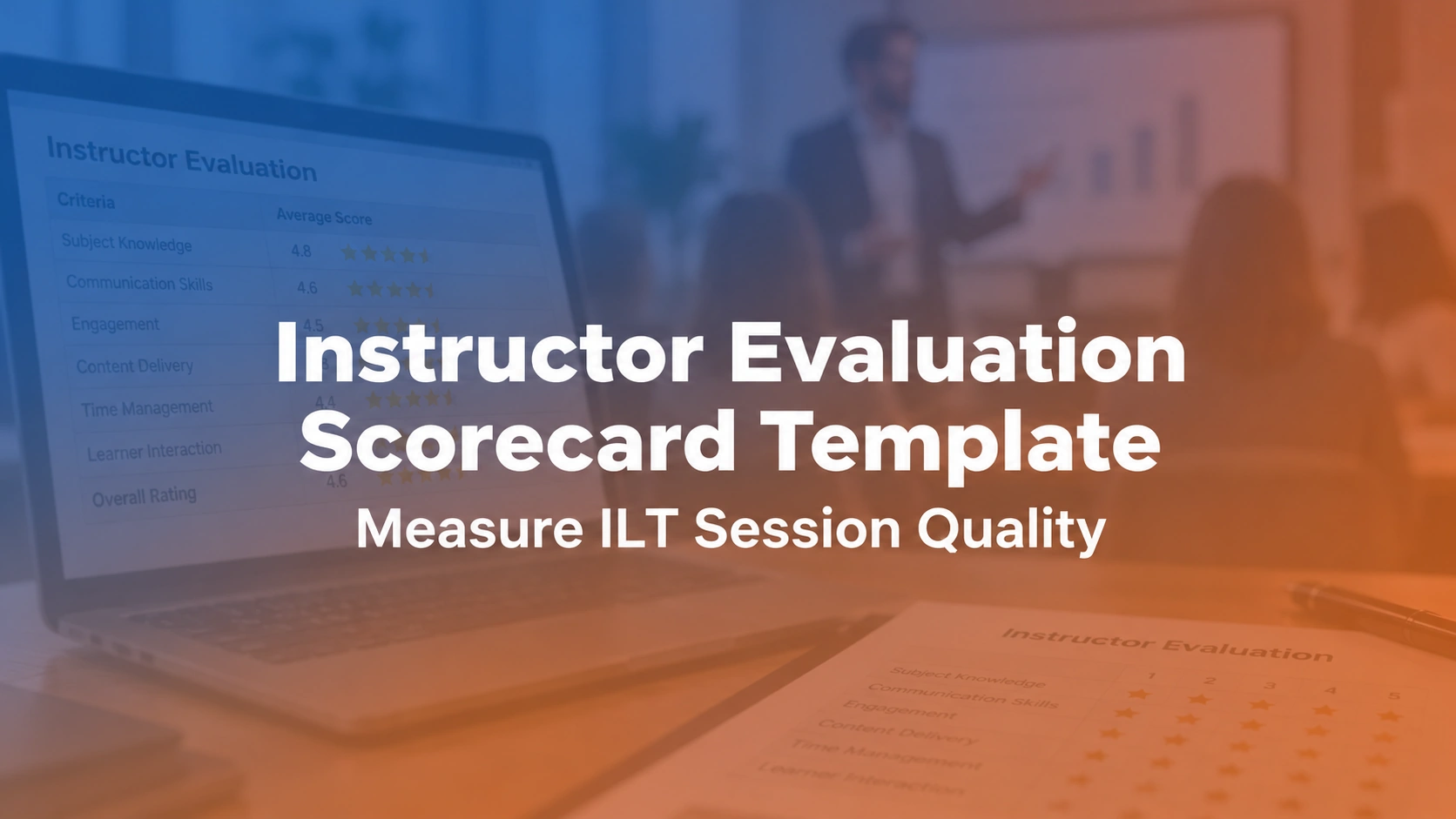

An instructor evaluation scorecard is a behavior-based rubric used to observe and improve instructor-led training (ILT). It rates visible teaching practices—such as clear objectives, accurate demonstrations, learner participation and corrective feedback—against defined criteria. Record evidence for each rating, discuss improvement actions with the instructor and evaluate learner outcomes separately. The free Excel template helps standardize this process.
What criteria should an instructor evaluation scorecard include?
Start with the learning objectives and the moments when an instructor can help learners reach them. Common observation categories include content accuracy, facilitation, pacing, accessibility, practice opportunities, feedback and session administration. Choose only criteria that the observer can actually witness. For example, “asks learners to demonstrate a procedure and corrects errors” can be documented; “has a naturally engaging personality” cannot be assessed consistently. Use the same written criteria for comparable sessions, while adapting the rubric for hands-on ILT versus virtual instructor-led training (VILT). The following table is an illustrative rubric, not a universal industry scoring standard.
| Dimension | Example observable evidence | Rating guide |
|---|---|---|
| Learning objectives | Explains outcomes and checks understanding | 1–4 with behavior anchors |
| Content accuracy | Uses current approved materials | 1–4 with evidence notes |
| Facilitation | Invites participation and handles questions | 1–4 |
| Pacing and accessibility | Adjusts timing and supports participation | 1–4 |
| Practice and feedback | Learners receive useful corrections | 1–4 |
| Session control | Starts, closes and records attendance correctly | 1–4 |
| Improvement action | Named owner and review date | Not a scored dimension |
What should an ILT instructor evaluation measure?
Start with the purpose of the training and the behaviors that support it. For example, a safety workshop needs accurate demonstrations and checks for competence, while a leadership discussion needs strong questioning and constructive feedback. Define two or three concrete indicators under each dimension and explain what the observer should look for.
Worked example: 'Engaging instructor' is too vague for fair evaluation. 'Invites multiple participants to practice the procedure and provides corrective feedback against a shared checklist' is observable and coachable.
Related reading: training scheduler with instructor management. Compare these resources with the specific instruction or session requirements rather than assuming all courses need the same evaluation.
How do you score an instructor fairly using a 1–4 rubric?
Describe what each rating means before anyone is observed. In one practical four-level scale, 1 = needs support (the required behavior was absent or ineffective), 2 = developing (sometimes demonstrated), 3 = effective (consistently demonstrated), and 4 = exemplary (consistently effective with purposeful adaptation). Give examples specific to each dimension. Mark “not observed” or “not applicable” separately instead of assigning a zero.
Worked scoring example: Suppose six observable dimensions receive 3, 3, 4, 3, 2 and 3. Their unweighted average is 18 ÷ 6 = 3.0 out of 4. That describes only the observed performance under this rubric; it does not establish learning transfer or overall instructor competence. Keep the dimension-level evidence and the observation window alongside any average. Avoid penalizing accent, personal style or equipment problems beyond the instructor's control.
To connect the observation to real training activity, see instructor portal and training registration software. Review whether the session record, attendance and course version are consistent.
| Rating | Observable standard | Evidence example: corrective feedback |
|---|---|---|
| 1 — Needs support | Expected behavior not demonstrated | Errors go unaddressed |
| 2 — Developing | Behavior occurs inconsistently | Some errors corrected, without clear guidance |
| 3 — Effective | Expected behavior regularly demonstrated | Specific, timely correction against a checklist |
| 4 — Exemplary | Effective behavior is adapted to learner needs | Learner retries successfully after targeted coaching |
Should learner satisfaction be included in an instructor scorecard?
Collect learner feedback, but do not treat satisfaction as proof that a training session improved skills. Ask whether instructions were clear, examples were relevant, participants could practice and feedback helped them improve. Store learner responses separately from the observer's behavior ratings and investigate gaps between them. The CDC's training effectiveness guidance distinguishes learner reaction from evidence of learning and workplace application.
Example: A session receives excellent feedback, yet few learners complete the required simulation correctly. Review the exercise, instructions, practice time and assessment criteria before assuming the facilitator is the sole problem. A popular session is not necessarily an effective one.
For operational context, see events and sessions and training calendar. Record the session and evaluation dates so feedback can be interpreted correctly.
Rubric design reference: The Harvard Center for Education Policy Research's observation and feedback rubric emphasizes documented observation records and action-oriented follow-up discussions. Adapt the approach to workplace L&D rather than copying a school-specific performance rating system.
How can an observer use the scorecard consistently?
Observe a defined portion of the session, use the same rubric, record examples and note any contextual factors such as an equipment outage or unexpected class size. Calibrate multiple reviewers before using scores for high-stakes decisions. Allow the instructor to respond and confirm the evidence is accurate.
Worked example: Two observers watching different portions of a workshop may reasonably see different behaviors. Record the observation window and avoid presenting partial observation as a complete course-quality audit.
Compare ILT and VILT management together with training operations software. Use these guides when deciding whether the problem is with facilitation, training design or the administration process.
When instructor evaluation scorecard spans multiple sessions, ask Trainery to demonstrate the exact approval, enrollment, instructor or reporting exception your team needs to manage.
What is the difference between evaluation and coaching?
Evaluation records how performance compared with a defined standard; coaching helps the facilitator improve. Use specific feedback and agree one or two practice actions. A rating without follow-up creates anxiety but little development. Keep sensitive personnel discussions in an authorized HR process rather than an open training dashboard.
Worked example: After noting weak breakout-room instructions, a reviewer can ask the facilitator to rewrite the prompt, rehearse the transition and test it at the next delivery. The scorecard should capture that action and next review date.
Related reading: training task management with live-training operations guide. Compare these resources with the specific instruction or session requirements rather than assuming all courses need the same evaluation.
How do you evaluate remote VILT facilitators?
For virtual sessions, include virtual-specific behaviors such as clear audio checks, time-zone coordination, accessible materials, effective breakout management, interactive participation and handling reconnects. Do not penalize remote facilitators for learners' connectivity issues without considering the evidence. Use an observable standard applicable to the platform.
Worked example: A VILT instructor who pauses for a disconnected learner may demonstrate good facilitation even when a session runs a few minutes longer. Separate the quality of the decision from the unavoidable technical disruption.
To connect the observation to real training activity, see ILT versus VILT comparison and VILT delivery practices. Review whether the session record, attendance and course version are consistent.
How is instructor evaluation different from training effectiveness?
An instructor observation rubric measures the quality of delivery observed during a session. It cannot, by itself, establish how much learners gained or whether they later used the skills at work. Measure those questions separately using appropriate assessments and follow-up. The CDC's training evaluation planning guide recommends choosing evaluation questions and evidence collection methods based on the intended purpose. The Kirkpatrick Model distinguishes reaction, learning, behavior and organizational results. An instructor scorecard mainly records delivery behavior; it should not be labeled a complete four-level evaluation.
Practical comparison: observing a facilitator demonstrate equipment use is delivery evidence; a learner successfully performing the procedure is evidence of skill; safe, correct use on the job requires later evidence. Keep these records separate, even when they are reviewed together by L&D.
Which quality metrics should L&D track?
Summarize rubric trends by dimension, frequency of coaching actions, observed improvement after follow-up, learner practice success and the rate of completed instructor evaluations. Avoid ranking people from tiny sample sizes. Look for common content or resource problems that affect multiple instructors.
Worked example: If five trainers all struggle with the same outdated simulation, update the course design before increasing individual performance scrutiny. A shared problem suggests a program-level intervention.
For operational context, see training administration buyer's guide and training scheduling software comparison. Record the session and evaluation dates so feedback can be interpreted correctly.
When does instructor evaluation need a system?
A spreadsheet works for occasional observations; a structured process is more useful when several evaluators, many sessions and repeated follow-ups require consistent visibility. Test role-based access, auditability, rubric version history and how the evaluation links to a specific session and approved course content.
Worked example: During software evaluation, ask whether the system can show an instructor's development across multiple observations without exposing confidential HR notes to unrelated training administrators.
Compare training management system comparison together with training needs analysis. Use these guides when deciding whether the problem is with facilitation, training design or the administration process.
How to use the instructor evaluation scorecard Excel template
Use the free Excel scorecard above for a structured observation and coaching conversation. Start with an approved course version, a named evaluator and a clear reason for observing the session. A spreadsheet can organize evidence, but it does not determine whether a rating is fair.
- Identify the session: record instructor, course and version, date, delivery format, class size, evaluator and observation window.
- Agree on expectations: share the dimensions and rating anchors before the session. Remove irrelevant categories or mark them not applicable.
- Observe and note evidence: write a brief example beside each applicable dimension instead of relying on general impressions.
- Apply the rubric: assign 1–4 only where evidence exists; keep “not observed” out of the denominator.
- Discuss results: review strengths and one or two improvement priorities with the instructor, including context they want to clarify.
- Plan follow-up: record an action, responsible person, next observation date and evidence that would show improvement.
If several reviewers use the workbook, calibrate their interpretation of sample evidence first. Keep any identifiable personnel notes in an appropriately restricted location.
What should a training management platform demonstrate?
Bring one anonymized instructor observation and ask the vendor to associate it with the right course version, session and evaluator. Test whether rubric versions can be distinguished, follow-up actions can be assigned, and sensitive notes are visible only to authorized users. Ask how the platform reports improvement over multiple observations without confusing learner satisfaction with observed teaching practice. The training management systems comparison and TraineryTMS overview offer broader operational context. Verify each requirement in a real demo; these questions are not claims that a particular Trainery configuration already supports the feature.
Calibration example: two observers, one instructor
Imagine two reviewers observing the same live training. One gives a top score because the facilitator is confident and energetic; the other gives a lower score because learners received too little time to practice. Neither opinion is sufficiently useful until the rubric points them toward agreed behaviors. Ask both reviewers to cite what they observed: whether the instructor stated the objective, checked understanding, provided accurate corrections and adapted the sequence when participants struggled. Compare the evidence to prewritten rating anchors. If the observers disagree, discuss the behavior and context instead of averaging the scores automatically. A scorecard should also record whether they attended the full class or only part of it. After calibration, the instructor and reviewer agree on one or two actions and a date to observe the next delivery. The evaluation becomes a coaching aid, not a popularity contest. Keep developmental observations in the authorized process and avoid mixing informal feedback with high-stakes personnel decisions without the appropriate review.
Conclusion: use observations to improve instruction
An instructor evaluation scorecard is most useful when it identifies what happened during training and what should improve next. Agree on observable behaviors, collect evidence, discuss context and choose a follow-up action. Use the Excel template for a consistent starting point, but keep assessments of learner skills and on-the-job results separate. For teams coordinating many instructor-led sessions, evaluate how training operations software can connect sessions, follow-ups and reporting without exposing confidential coaching notes.
Explore how TraineryTMS supports instructor-led training scheduling, session administration and related learner records. Bring a difficult real-world scenario to the demonstration.
Book a DemoDownload your workbook
Enter your name and work email to unlock the Excel file.