
Scheduling Control
Coordinate event dates, session dates, and training calendars.
Training scheduling software guide →.svg)
Coordinate instructor-led and virtual training with events, sessions, enrollment, waitlists, trainers, locations, and a connected training calendar.
TraineryTMS gives every ILT and VILT training event a clear operating structure across session scheduling, trainer and location coordination, registration, capacity, delivery, completion, and recording.
Define event and session schedules, dates, locations, and delivery setup.

Manage registrations, session capacity, and waitlists as learner demand changes.

Connect trainers and training locations, virtual platforms, and delivery details to each session.

Capture completion and recording details so each event closes with an auditable learning record.
.svg)
Manage the operational work behind ILT and VILT programs, from scheduling and session setup to trainer coordination, enrollment, capacity, recordings, and live training delivery.

Coordinate training schedules, event dates, and session dates through dedicated scheduler and calendar views.
Structure instructor-led and virtual training around events and individual sessions.
Connect trainer information and training locations to scheduled delivery.

Manage learner enrollment alongside session capacity and waitlist status.

Support in-person and virtual delivery with session, trainer, platform, enrollment, and completion information.

Maintain completed VILT and recording information alongside the learning record workflow.
Track operational training tasks using request, proposed-change, waiting-time, trigger, and status fields.
Give training administrators one operational view for scheduling, delivery resources, enrollment, and session status, while training task management and reports and analytics support the wider live-training workflow.
Coordinate event dates, session dates, and training calendars.
Training scheduling software guide →Review enrollment, available capacity, and waitlist status as sessions fill.
Instructor-led training at scale →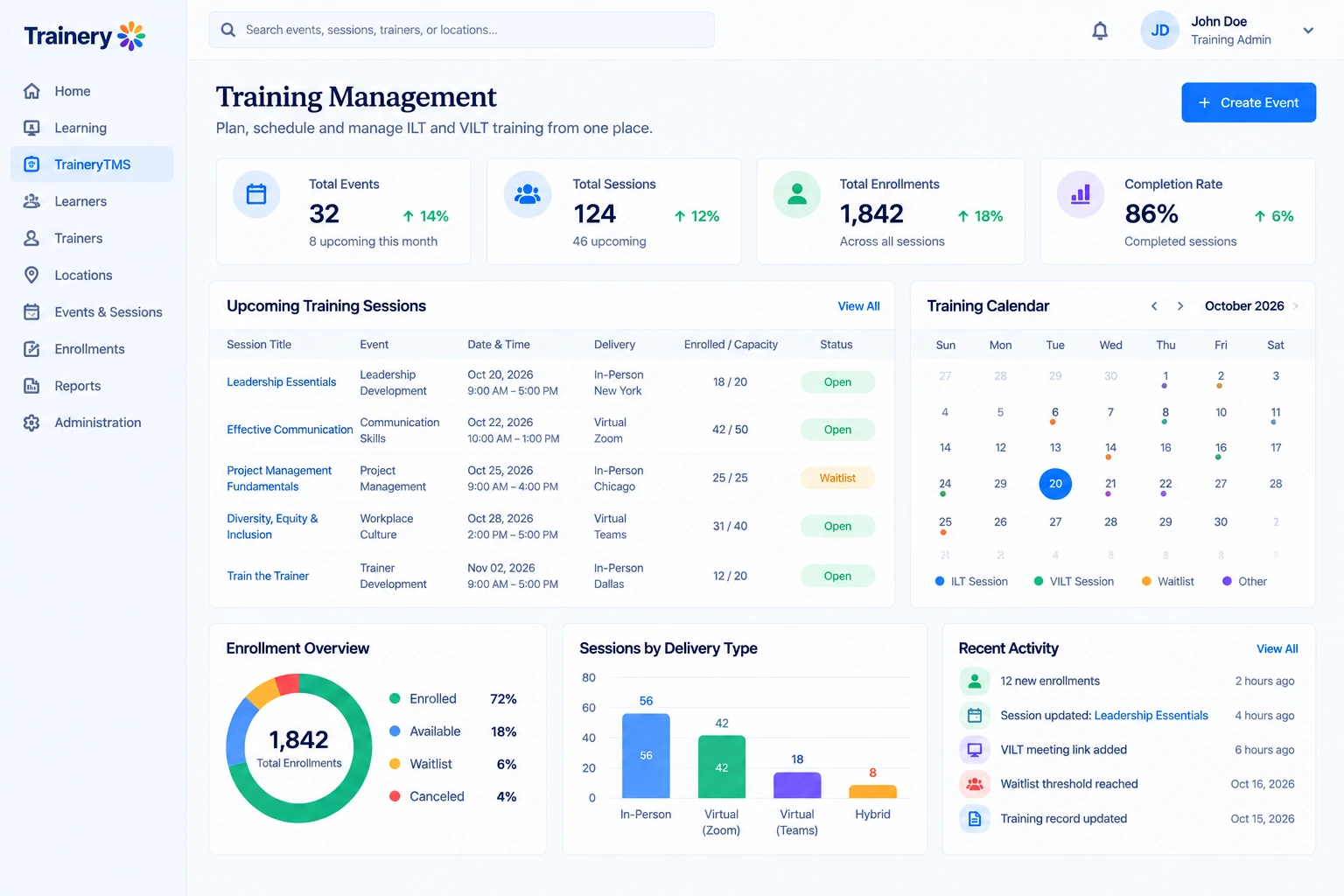
Keep trainers, locations, and delivery-platform information connected to each session.
Training operations beyond spreadsheets →Track upcoming and completed VILT activity together with recording information.
VILT best practices →TraineryTMS connects instructor-led and virtual training operations across formats covered in the ILT, VILT, and eLearning comparison.
Build repeatable instructor-led training schedules using the operating principles teams assess when comparing training management systems.
.png)
Coordinate instructors, locations, and virtual delivery integrations while keeping session-level context connected.
.png)
Manage registration, capacity, and waitlists as part of structured training administration.
.png)
Carry completion status and recording data into VILT recording management and consistent downstream records.
.png)

Coordinate schedules, sessions, trainers, locations, enrollment, capacity, waitlists, and ILT/VILT delivery with a connected training management solution.
.svg)


.svg)
